Category Explainer
What is a QR pet tag?
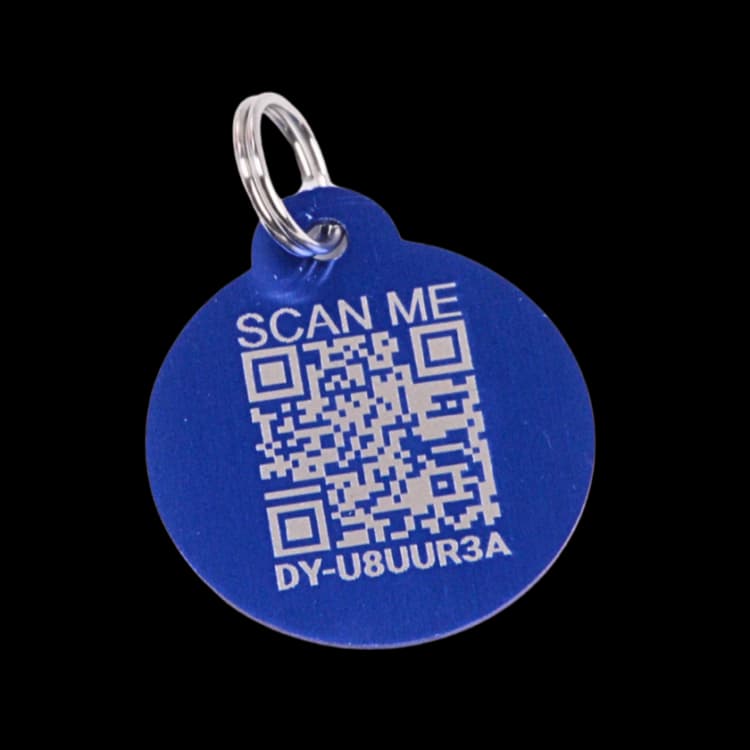
A QR pet tag is a small ID tag on your pet's collar with a QR code printed or engraved on it. When someone scans the code with any modern smartphone camera, it opens a web page — your pet's digital profile — showing the information you've chosen to share, like your contact number, your pet's name, and any notes a finder might need. There's no app to download and no battery to charge. The tag is the link; the profile is what gives it value.
How a QR pet tag works
- A finder scans the code. They point their phone's camera at the QR code on the tag. The phone recognizes the code and offers to open a web link — no app, no setup.
- The link opens a web page. That page is your pet's digital profile. It loads in any browser. The finder doesn't need an account or any prior relationship with the product.
- The finder reaches you. The profile shows the contact details you've chosen — phone, email, or both — and any notes you wrote for a finder. They reach you, you arrange the handoff, and your pet comes home.
What's on a Driyu QR pet tag
Driyu's privacy model is built around five owner-controlled toggles. You decide what a finder sees:
- Phone number — show or hide your preferred phone
- Email — show or hide your email address
- City — show or hide your city (street address is never shown)
- State — show or hide your state
- Emergency contacts — show or hide the entire emergency-contacts list
Each field has its own privacy control. Defaults are visible so the recovery experience works on day one; you can hide any field at any time. See the Trust hub for the full privacy surface.
What a QR pet tag is NOT
- It is not GPS. The tag itself has no chip, no battery, and no ability to know where it is.
- It is not a tracker. It does not transmit signals or report location at any interval.
- It is not a microchip. A microchip is implanted by a vet and read by a specialized scanner. A QR pet tag is worn on the collar and read by any phone camera.
- It is not a monitoring device. It does nothing until a person physically finds your pet and chooses to scan it.
When to use a QR pet tag
- Your pet wears a collar most of the time and you want a finder to reach you quickly.
- You move, change phone numbers, or change emergency contacts and don't want to keep buying new stamped tags.
- You want to communicate notes a finder needs (medications, behavior, “please don't feed,” “return to address X”) without putting it on a metal tag for everyone to see at a glance.
- You want privacy control over what a stranger can see — phone, email, city, state, emergency contacts — instead of having everything stamped permanently.
- You already have a microchip and want a finder-readable layer on the collar that complements it.
Common questions
Does a QR pet tag work without an app?
Yes. The finder doesn't need to download anything. Any smartphone camera that reads QR codes (every iPhone and Android made in the last several years) can open your pet's profile.
Does the QR pet tag use GPS or track location?
No. There is no GPS, no battery, and no transmitter inside a QR pet tag. The tag does nothing on its own. It only does something when a person physically finds your pet and scans the code.
What if my phone number changes?
Update your profile from your Driyu account. The same tag continues to work — it links to the profile, not to a fixed number.
Can a finder see my home address?
Only if you specifically choose to share it. Your street address is never shown on the public scan page. City and state are each owner-controlled toggles — you decide whether either one appears. You can adjust these in your privacy settings.
Should I still get a microchip?
Yes, for most pets. A microchip and a QR pet tag do different jobs. The chip is the permanent backstop registered with a national registry; the QR tag is the on-the-collar tool a finder can use immediately.