
Microchip, QR tag, or both? Understanding how pet ID works in layers
A microchip, its registry record and a QR tag provide different identification routes. Here is how to keep their roles clear.
THE DRIYU JOURNAL
Pet ID & QR Tags
In this reading
A QR tag opens a public page from a phone. A microchip supplies an identification number to a compatible reader. Keep the corresponding contact information current through each service’s own process.
A QR tag and a microchip are not interchangeable. This guide explains the difference without promising that either route will always work.
What a microchip actually does
A pet microchip carries an identification number; it is not GPS tracking. Ask your veterinarian about the device and its use for your pet.
A compatible reader retrieves the chip number. Finding current contacts is a separate step through the relevant registry.
For background, consult the AAHA microchip FAQ. This guide does not attach a recovery percentage or guarantee to either form of identification.
Check the steps involved in using the chip number:
- Read the number. Use a compatible microchip reader; a phone camera is not one.
- Confirm the registration. Do not assume that implantation completed your current contact record.
- Review the contacts. Correct outdated information through the registry’s own process.
A phone camera cannot read an implanted microchip. A finder can ask a veterinarian, shelter or animal service for help locating a compatible reader.
What a QR pet tag actually does
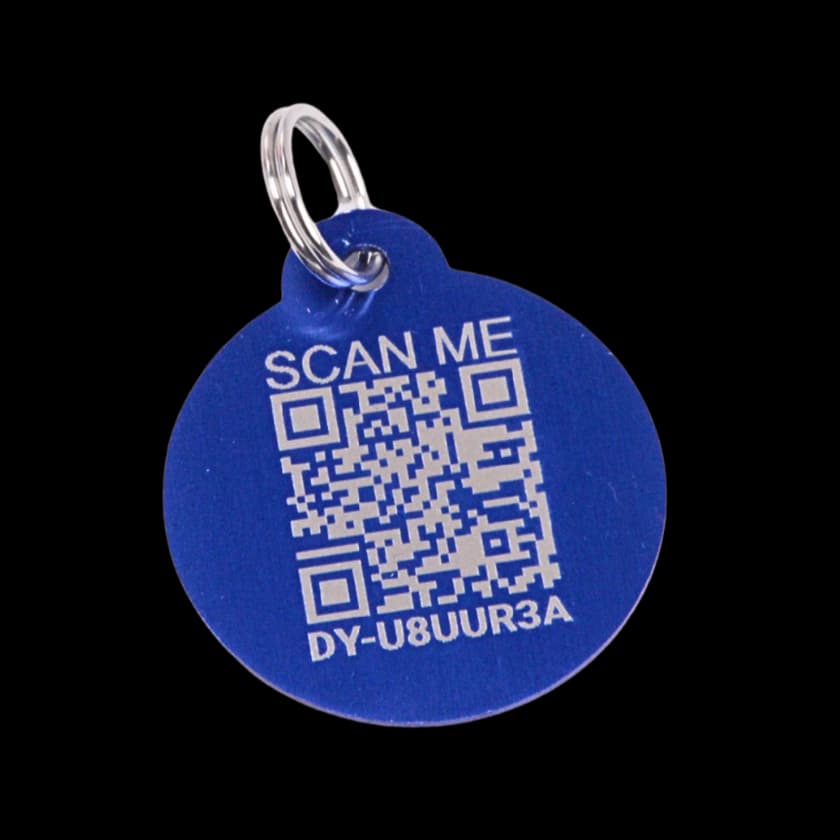
A QR pet tag is a visible identifier carried on a suitable collar. A compatible phone camera can read the code, and the phone needs a browser and internet access to open the linked page.
A linked Driyu tag opens the public recovery page. Saving changes can update what loads at that same link; this does not update an engraved number or a separate registry record.
A QR tag does the visible, public-facing job:
- Open the page by phone. A QR-capable camera, browser, internet connection and available website are needed.
- Update the linked page. Saved information can change without replacing a working tag linked to that pet.
- Use an available contact route. On Driyu, the options depend on visible contacts and lost status.
A finder can use a linked QR tag to open the public page without first going to a shelter. The phone still needs internet access and the service must be available.
So why both?
The two systems cover different scenarios.
- A neighbor finds the pet. A readable linked tag can offer public contact options.
- A clinic or shelter has the pet. Staff can check the available identification and registry contacts.
- The collar comes off. The QR tag may no longer be with the pet; ask for help checking other identification.
- The website is unavailable. An engraved number or microchip may offer another route. Registry access still depends on the relevant service.
Keep the routes distinct: a readable tag, a functioning web page and an accessible registry record each have their own requirements.
A QR tag does not replace the implanted identifier or its registration. Having both does not guarantee a reunion.
Different situations, different routes
If someone finds the pet wearing the tag: they can try the visible contact number or open the QR page.
If someone only sees a poster or shared link: they can use its contact information. Possession of the pet is not required to open a public Driyu link.
If a clinic or shelter has the pet: staff can help check identification and seek current contacts through the available routes.
If the collar is missing: its tag may be unavailable. Ask for help checking the microchip and other identifying information.
How a Driyu tag fits in
A Driyu tag opens public recovery information. A call option depends on a visible phone number. The report form appears when the pet or tag is marked lost. An accepted report starts notification attempts; delivery is not guaranteed. Opening the page alone does not send a found-pet alert. Driyu is not GPS tracking.
The public scan page shows the microchip number when the pet is marked as microchipped and a number is saved. Driyu does not verify that number against a registry or synchronize the two records. You can get a Driyu tag to add the public web page route.
A short FAQ
Does a QR tag replace microchip registration? No. Keep the registry record separate and ask your veterinarian about microchip identification for your pet.
What if I am unsure whether the chip can be read? Ask your veterinarian or a service with a compatible reader to help check it.
Do QR tags need batteries or a Wi-Fi connection? A QR tag is a printed code. It doesn’t have a battery. The finder’s phone needs internet access to load the page, but the tag itself doesn’t connect to anything.
Does the Driyu tag need activation? It must be linked to the intended pet to open that pet’s recovery page. An unassigned tag may show a setup or claim screen. Follow the activation guide, then check the public result.
Who can see the page? Anyone with its public link. Five account settings control phone, email, city, state, and emergency contacts. The owner’s saved name and public pet notes are separate from those switches. Review the complete page after editing.
Check each route separately: tag readability, the correct linked pet, public contact details and the registry record.
Identification can provide ways to seek contact. It cannot promise how quickly a pet will return, or that recovery will happen.
Sources and further reading
- AAHA microchip FAQ — background on the implanted identifier and registration.
- Microchip registration and the chip itself — how to check the separate record.
- Driyu public scan example — compare the normal and lost-pet views.