
How Driyu works with your microchip registry (not as a replacement)
Driyu and microchip registration are separate ways to connect identification with contact information. Keep both current; saving information in one does not update the other.
THE DRIYU JOURNAL
Pet ID & QR Tags
In this reading
A microchip supplies an identifier to a compatible reader. A linked Driyu QR tag opens a public page using a compatible phone, browser, and internet connection. They are complementary routes, with separate contact records.
A note about lost-pet recovery
No tool can guarantee a lost pet will be found. Driyu can help organize information and make contact easier when someone scans or reports a found pet, but recovery also depends on the situation, the finder, local shelters, microchip registration, and your search actions.
What each layer does
- Microchip: a compatible reader retrieves its identification number. See AAHA’s microchip FAQ.
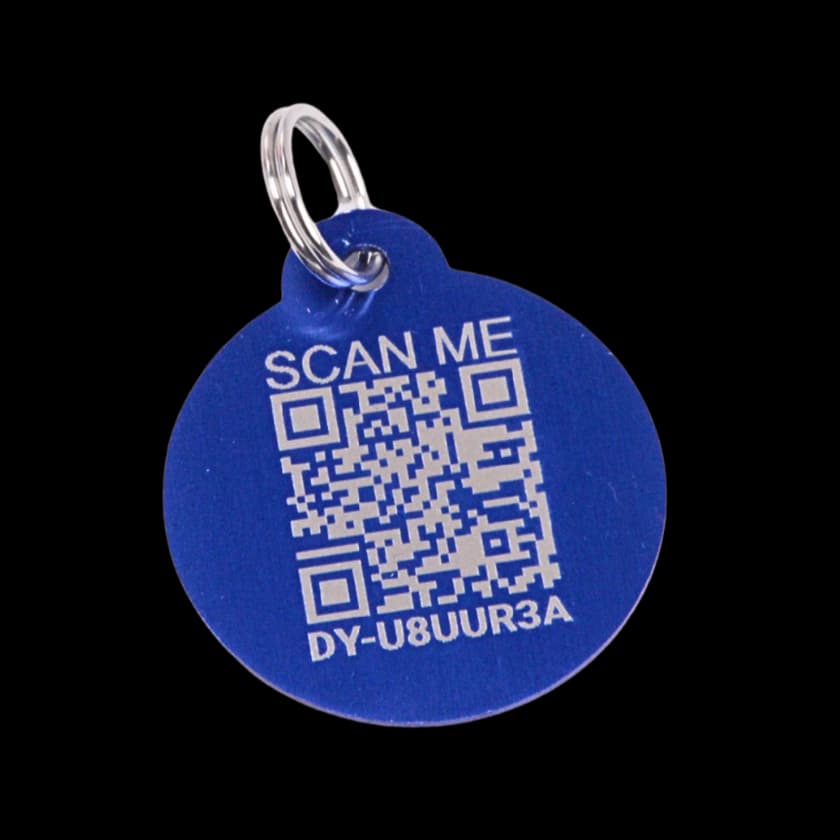
- QR pet tag (Driyu): printed code on a collar tag. A finder scans it with a smartphone camera to open a public pet profile.
- Engraved tag: a readable number can be used without opening a website. Its printed details still need to be current and legible.
Why both matter
A Driyu scan opens a web page on the finder’s phone. It needs an internet connection and a working linked tag. It can offer a contact route, but cannot promise contact within a set time.
A collar tag can become separated from the pet. Ask your veterinarian about microchip identification as an additional route.
How to set both up
- Obtain the chip number and registration instructions from the clinic or adoption organization.
- Confirm the registration directly rather than assuming implantation completed it.
- Follow the Driyu activation guide to link the tag to the intended pet.
- If you enter a chip number in Driyu, check its public visibility: the scan page shows it when the pet is marked as microchipped and a number is saved.
- Update contact details separately in Driyu and the registry when they change.
What Driyu does not do
Adding a chip number to Driyu does not register the chip or update its registry record. Follow the registry’s own process for contact changes. “Pairs with” here means complementary identification, not an automatic data connection.
How Driyu fits
Driyu provides a public recovery page. Explore the tag example to see the normal and lost-pet views.
Related reads from Driyu
- Microchip registration vs the chip itself: what owners get wrong
- Microchip, QR tag, or both? Understanding how pet ID works in layers
- Updating Driyu after a phone number change: step-by-step
Sources and further reading
Frequently asked questions
If my pet has a microchip, do I need a QR tag too?
A QR tag offers a public page accessible by phone. It does not replace microchip registration, and neither route guarantees a reunion.
Does Driyu update my microchip registry?
No. Update both separately.
Which microchip registry should I use?
Check your pet’s existing registration paperwork and ask the clinic or registry for help if you are unsure. Implantation alone is not confirmation that your own current contacts are registered.
Can a QR tag replace a microchip?
No. They work together.