
How to make an effective lost pet flyer and social media post
Clear flyers and social posts can support a lost-pet search alongside safe searching, shelter reports, and current identification. Make the notice easy to read and keep it updated.
THE DRIYU JOURNAL
Lost Pet Recovery
In this reading
The best lost-pet flyer is the one a neighbor will actually read. That means one big photo, one big word (LOST), where last seen, your phone number, and almost nothing else. Same for social — a tight post that travels fast beats a long post that gets scrolled past.
A note about lost-pet recovery
No tool can guarantee a lost pet will be found. Driyu can help organize information and make contact easier when someone scans or reports a found pet, but recovery also depends on the situation, the finder, local shelters, microchip registration, and your search actions.
When a pet goes missing, the search splits across two fronts: looking yourself, and getting other people to look on your behalf. The second front is mostly flyers and social posts. Most people make both too cluttered, too small, and too detailed. The good ones are simple. This guide walks through what to include, what to leave off, where to put them, and what to do when the right kind of message goes up.
The flyer: anatomy of one that works
From top to bottom, in roughly the size order:
- LOST in large, readable type, using the language understood locally.
- One large photo. Color, clear, full body if possible. Pictures of your pet at your feet or sleeping in a strange position do not help — finders need to recognize the face and coat.
- Pet’s name in big text.
- One short description line. “Brown male dog, 25 lbs, scared.” That’s it. Long descriptions go unread.
- Where and when last seen, including date and approximate time; use a useful general location without exposing a home address unnecessarily.
- A large, readable phone number or other contact route you can monitor.
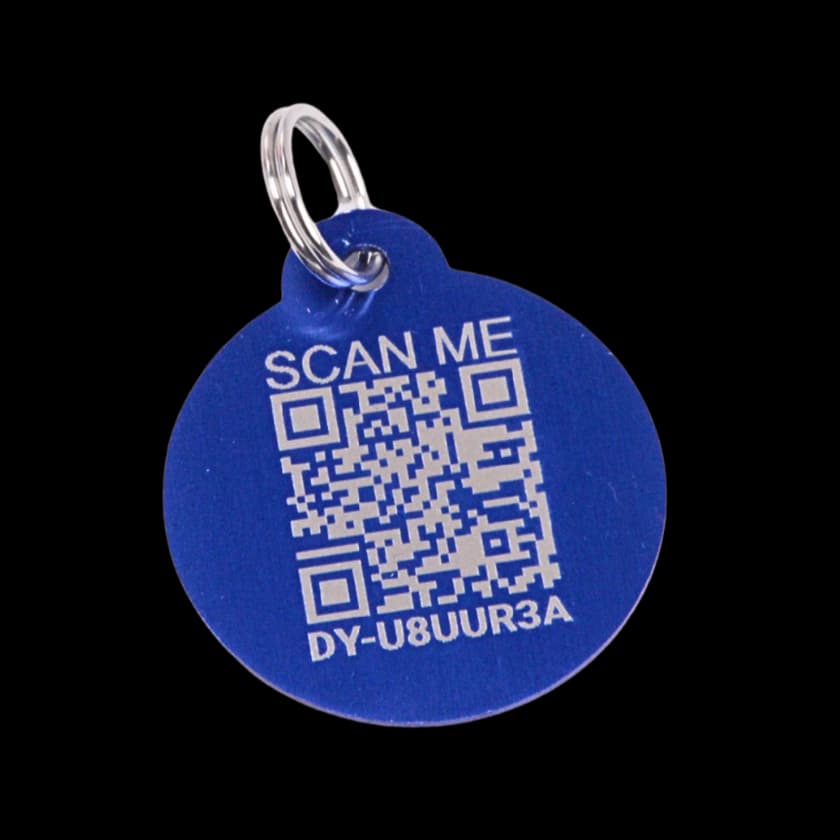
- Optional QR or link to the public recovery page. Test the printed code on a phone and keep a readable contact route for people who cannot open it. Review the page’s public information first.
Leave off addresses, microchip numbers, and reward amounts on a public flyer. Use a font like Arial Black, Impact, or any bold sans-serif. Black text on white paper. Do not use fancy fonts; readability beats style.
Where to put flyers
Use relevant, permitted locations, with the owner or organizer’s approval where required:
- Start around the last sighting and adapt the search area to credible reports, terrain, and professional guidance; do not wait a fixed 48 hours to widen it.
- Vet clinics, groomers, dog parks, pet stores. Ask first.
- Coffee shops, laundromats, community boards.
- Use approved community noticeboards or authorized distribution. Do not place or attach flyers to mailboxes on the assumption that a resident’s permission is sufficient.
- Avoid utility poles, traffic equipment, and placements that create road or worker hazards. Follow local posting rules.
- Local animal shelters and animal control offices. Drop a copy in person; many post a board.
The social post: what travels
Social posts spread on emotion and clarity. The format:
- A clear opening: “LOST DOG — [area] — [date].” This helps readers understand the post; it is not an algorithm guarantee.
- The same one big photo as the flyer.
- A short caption. Pet’s name, where last seen, your phone number. Two or three sentences.
- Ask people to share. Explicitly. “Please share — even one street over helps.”
- No identifying address. Cross streets are enough.
Where to post
Use relevant local groups, official shelter reporting channels, and lost-pet databases such as Petco Love Lost. Alert caregivers and nearby people promptly. Follow each group’s posting rules and track where you posted so you can update them. See the first-day checklist.
Safety: avoid scams and risky meets
A public lost-pet post attracts more than just neighbors. A few protections:
- If using a separate contact number, test it first and make sure calls or messages reach you. Never send verification codes to someone claiming to have your pet.
- Include useful identifying details, but keep one nonpublic detail for verification. Do not use a detail visible in your published photo as the only proof.
- Arrange a safe, permitted handoff after checking the claim. Confirm a clinic or other venue can accommodate it, bring support if possible, and ask animal services for help if needed.
- Do not send money or sensitive information based only on a message or photo; both can be fabricated. Independently verify anyone claiming to be a clinic, shelter, or finder.
- A reward is optional and can attract fraudulent claims. Do not treat a small amount as protection from scams.
When your pet comes home
Update notices to FOUND or HOME, tell shelters and people helping, and remove permitted flyers promptly. In Driyu, check the pet and tag’s lost status. See care after recovery.
A short FAQ
What should be at the top of a lost pet flyer? A clear, large photo and the word LOST in big letters.
How much detail should I include? Less than you think. Name, photo, where last seen, your phone number, one-line description.
Should I offer a reward? It is optional and does not guarantee help or prevent scams. Verify any claim before arranging payment or a handoff.
Where should flyers go? In permitted, useful places around the search area, adjusted as reliable sightings and local guidance develop.
Which social platforms work best? Hyper-local — Nextdoor, local Facebook groups, city subreddits.
Should I take down flyers after my pet is found? Yes. Update social posts with FOUND before deleting.
The best lost-pet flyer is simple, big, and everywhere your pet might wander. The best social post is short, urgent, and shared by people who live close. The work is in keeping both up to date — and in being ready to take them down.
Sources and further reading
- ASPCA — Searching for a lost pet.
- American Humane — Lost Pet Search Tips. americanhumane.org
- Petco Love Lost. National lost-pet database. lost.petcolove.org