
AirTag, QR tag, or microchip? A plain-language pet ID comparison
Microchips, QR tags, and Bluetooth item trackers provide different functions. Compare their requirements and limits before choosing a pet-identification setup.
THE DRIYU JOURNAL
Pet ID & QR Tags
In this reading
A microchip supplies an identification number to a compatible reader. A linked QR tag opens a web page with internet access. AirTag is an item-finding accessory that uses Apple’s Find My network. None guarantees a pet’s safety or recovery.
A note about privacy
Public recovery pages may show the information the owner chooses to provide or make visible. Review your settings and Driyu's current Privacy Policy for the latest details. Do not share information publicly that you are not comfortable making visible to a finder.
Consider who needs to identify the pet, which tools they will have, and how you will keep contact information current. Physical fit and safe attachment matter too.
Microchip: permanent identification
A microchip is a passive RFID transponder about the size of a grain of rice, implanted under the skin. It has no battery and no GPS — it does not transmit location. When a compatible scanner is held over it, it returns a unique number. That number is looked up in a registry, and the registry contact (you) is called. The AVMA documents this as the standard form of permanent pet identification.
- Best for: Shelter and vet reunification.
- Requires: A compatible reader and follow-up with the registry to find current contact details.
- Maintenance: No battery; ask the vet to check readability and keep registration current.
- Failure mode: Out-of-date registry record. See our microchip registration explainer.
QR tag: a link to public identification
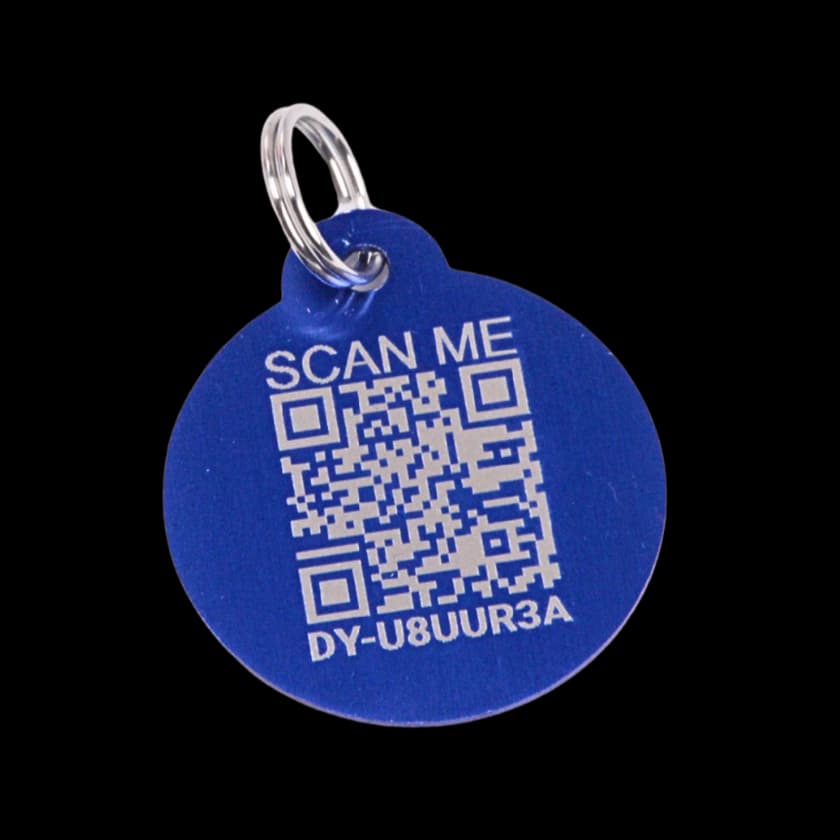
An activated Driyu tag opens a linked public page without a finder account. It requires a readable code, a compatible phone, and internet access. Reports and recovery instructions appear when the pet or tag is marked lost. An accepted report starts notification attempts; delivery is not guaranteed, and a passive scan does not notify the owner.
- Best for: Neighbors, passersby, anyone with a phone reaching the owner without a scanner.
- Requires: A scan by a phone-capable finder and an internet connection.
- Maintenance: Check tag wear, attachment, the linked page, and current contacts. Do not assume a fixed physical or service lifespan.
- Limits: A lost collar, damaged code, unavailable connection, or unreachable contact can interrupt the route.
Five owner-account settings control phone, email, city, state, and emergency contacts. Other pet details and the owner’s name have separate public display rules. Review privacy and the scan experience.
Bluetooth trackers (AirTag and similar): location aid
AirTag sends Bluetooth signals to nearby Find My devices, which can relay a location. Nearby finding depends on compatible hardware. This is different from a dedicated GPS pet tracker; a displayed location is not a guarantee of the pet’s current position.
- Designed for: Finding personal belongings.
- Requires: Supported Apple setup, a working battery, and the relevant nearby devices or network conditions.
- Lifespan: Battery-dependent.
- Additional behavior: Unwanted-tracking alerts and sounds may occur when separated from the owner and moving with someone else.
Apple also documents contact information through an NFC tap when Lost Mode is configured. That does not turn AirTag into a veterinary identification registry or a pet-safety guarantee.
Side-by-side: what each one answers
- “A vet or shelter has my pet — how do they reach me?” Microchip.
- “How can a finder contact me from a readable tag?” A visible phone number or a linked QR page can help.
- “Where was an item detected?” A compatible Bluetooth item tracker may provide a reported location under suitable conditions.
- “What do I keep updated as my life changes?” Microchip registry, digital profile, and tracker registration if used.
Plan identification for your circumstances
Consider these practical checks:
- Cats. Discuss microchipping and suitable quick-release collar identification. Confirm the tag’s size and attachment do not compromise collar safety.
- Walking and travel. Use suitable physical identification and safe restraint; do not assume a Bluetooth network covers a hiking route.
- Connected areas. More nearby devices do not guarantee detection or immediate contact.
- Remote areas. Plan for limited phone or network coverage and keep readable contact information available.
Whatever combination you pick, the foundational layer is a microchip with a current registry record. Our layered pet ID guide walks through how the layers stack. If you want to add a QR-tag layer, you can get a Driyu tag here.
A short FAQ
Is an AirTag a substitute for a microchip? No. They do different things. Microchips are permanent ID; AirTags are Bluetooth trackers that, per Apple, rely on nearby Apple devices.
Is a QR tag a substitute for a microchip? No. QR tags do not replace a microchip — they complement it.
Do I need all three? Most pets benefit from a microchip plus some kind of visible tag. Whether to add a Bluetooth tracker is a personal choice.
Does Driyu track GPS location? The QR tag itself does not track location. A scan opens a public profile; a location someone chooses to share is different from continuous GPS tracking.
What happens after a Driyu scan? A linked public page opens with internet access. Reports require the pet or tag to be marked lost; the scan itself does not send a notification.
Keep each system maintained separately and check the physical setup. Identification, location aids, and supervision have different roles.
Sources and further reading
- Apple — AirTag and Find My features. Apple — NFC contact information and unwanted-tracking alerts.
- AVMA — Microchipping FAQ. Veterinary professional body. AVMA — Microchipping your pet · PDF
- AAHA Universal Pet Microchip Lookup. AAHA — Universal Pet Microchip Lookup