
How Driyu connects pet owners, finders, and trusted care
Pet care involves owners, caregivers, finders, and professionals. Driyu helps organize information for those different situations, with separate public and private areas.
THE DRIYU JOURNAL
Driyu Story
In this reading
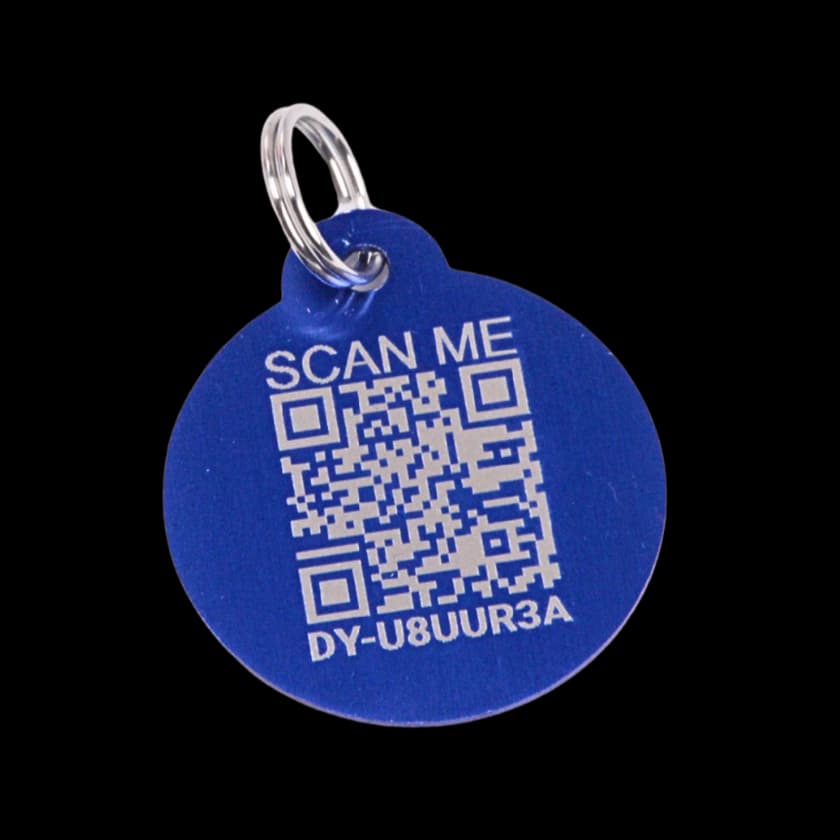
Quick answer: An activated Driyu tag opens a public recovery page. Owners manage contact visibility in their account; some saved pet details appear publicly without individual visibility switches. Free has limited medical-record, document, and caregiver capacity; Pro expands those limits. You still arrange document delivery and care authorization with each provider.
A note about lost-pet recovery
No tool can guarantee a lost pet will be found. Driyu can help organize information and make contact easier when someone scans or reports a found pet, but recovery also depends on the situation, the finder, local shelters, microchip registration, and your search actions.
Most pet information lives in scattered places — the vet’s system, a paper folder at home, a friend’s phone contacts, the microchip registry, and a few stray screenshots. When a pet is lost, sick, or being handed off to someone new, that scatter is the problem. Driyu is one small layer that tries to close the gaps between owner, finder, and the people who help in between.
The owner side
The account and pet pages organize several kinds of information:
- A current photo of each pet.
- Owner-account contact settings for phone, email, city, state, and emergency contacts.
- Emergency contacts who have agreed to be listed.
- Care-provider information where available; keep the clinic’s current phone separately too.
- Microchip number.
- Pet behavior notes, which can be public, and separate private care tools.
- Medical records, reminders, and Cloud Vault documents.
The public recovery page is not the full care record. Review it after saving changes: pet identity, the owner’s name, and certain populated pet details are public; the five contact settings do not control every field.
The finder side
A finder can open the linked tag page without an account or installation, using an internet connection. Reading it does not notify the owner. A finder can use the available contact routes; reporting tools and finder instructions appear when the pet or tag is marked lost.
What they see is a mix of owner-toggleable fields and pet-safety fields the owner has populated:
- Pet identification and the owner’s name.
- Visible contact details according to account settings and saved data. City and state are displayed together when the page’s requirements are met.
- Populated behavior and microchip details, eligible medical alerts marked for public display, and conditionally available recovery instructions.
The home street-address field and full private medical files are not shown on the scan page. Text and photos can still reveal private details, so check them too. See the scan experience.
The care-provider side
Vets, groomers, boarders, sitters, and shelters often need specific records — vaccine summaries, allergies, current medications, emergency contacts — that the owner has carefully collected over time. Driyu’s role on this side is to keep those records calmly organized in your account, so you have them ready when the provider asks.
In practice today, this looks like:
- Within your account’s available limits, open the relevant medical record or stored document and confirm the facility accepts that form of evidence.
- Prepare a short handoff summary using current records; this is not an automatically generated one-page Driyu packet.
- For ongoing help, use Family Sync when appropriate: a View Only can read supported information; a Guardian has broader editing permissions. Review the scope before inviting a sitter.
- A shelter can try the available contacts on a linked tag page. A response is not guaranteed; a microchip scan and local found-pet procedures remain useful.
A few honest notes:
- Driyu does not automatically deliver your records to a clinic’s system. Confirm the documents, format, and delivery method with the provider.
- A sitter can be invited through Family Sync where eligible. That account access is different from being listed as an emergency contact and does not itself authorize veterinary treatment. Remove access when it is no longer needed.
Trust, layered
The whole design is about who sees what:
- Public recovery information. Contact visibility settings, pet identification, the owner’s name, and other supported public pet details. Lost Mode controls recovery instructions and report tools.
- Private care information. Full medical records and stored documents are separate from the public page. Authorized Family Sync members can have access according to their role and the applicable plan.
- A planned handoff. Decide what a caregiver needs, use the appropriate access or document-sharing method, and confirm separate care and emergency instructions.
Check the saved settings and the actual public result; do not assume all information starts hidden. Read what Driyu shares.
What Driyu is not
Some honest boundaries:
- Not a GPS tracker. The tag does not track or broadcast the pet’s position, and a passive scan does not alert the owner.
- Not a microchip replacement. Driyu is an external QR tag. A microchip is an implant scanned by shelters and vets with a special reader. Different tools, complementary purposes.
- Not a recovery guarantee. No tool can promise a pet will be found. Driyu can make contact easier when someone scans or shares.
- Not a veterinary service. Driyu organizes records and contacts. Care comes from your vet.
Why we built it this way
The aim is to make current information easier to find when a family needs it. It still takes someone to maintain records, check access, and communicate with caregivers. See why we built Driyu.