
QR pet tags vs. traditional engraved tags: what pet owners should know
Engraved details are visible on the tag. A QR code opens an updatable web page. Here is how their contact routes and limitations differ.
THE DRIYU JOURNAL
Pet ID & QR Tags
In this reading
Quick answer: a readable engraved tag displays fixed information without loading a website. A linked QR tag opens a public page with a compatible phone and internet. Neither guarantees that a finder can reach you.
Both types can offer contact information, but their requirements differ. Compare the tag’s condition, the accuracy of its details and how a finder would use them.
What engraved identification offers
An engraved tag can carry a name or contact number. Reading legible text does not require a data connection; making contact still requires a way to call or otherwise reach you. Material, size and condition affect readability.
Printed or engraved details do not update when your account changes. Replace or correct them when the information is no longer accurate.
What a QR page offers
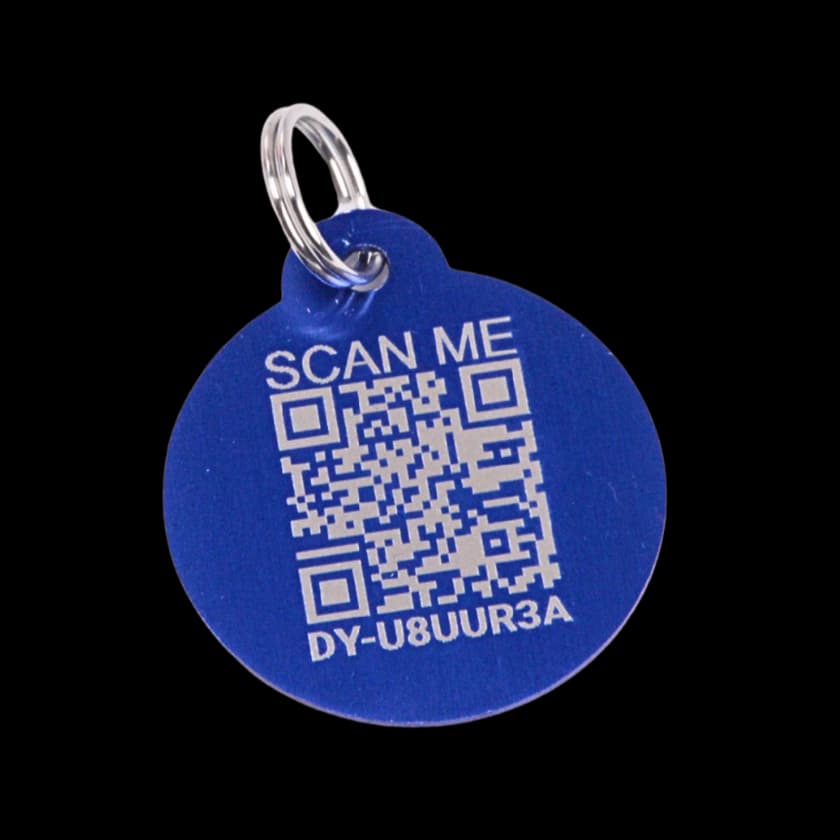
A linked Driyu QR code opens a public recovery page. That is different from the complete private pet record. Its content depends on saved pet information, account contact settings and the pet or tag’s status.
After saving a change, reopen the public page to check it. A working tag linked to the same pet can keep its code; updates do not change a separate engraved tag or microchip registry. See the scan walkthrough.
Different ways to seek contact
Engraved details may help when:
- You need to read a contact number without loading a website. A working way to call is still needed.
- The finder prefers a visible number to opening a link.
- The tag remains present and its text is legible.
- You want contact details visible directly on the tag.
A public QR page may help when:
- You have corrected saved contact details and want the public page to show them.
- A finder wants to compare the current pet photo and description.
- You choose to display available emergency contacts and brief public recovery information.
- You want to adjust the available contact settings, while remembering the page remains public.
- A sitter agrees to be a saved emergency contact. Review the sharing setting and the public result; there is no automatic timed switch to the sitter’s number.
Consider how you will keep each contact route current. These are practical differences, not evidence that one choice guarantees recovery or suits every household.
Both forms can share public information
Engraved text is visible to anyone who sees the tag. A Driyu page is also public: anyone with the link can open it without possessing the pet or scanning again. Five account settings control phone, email, city, state and emergency contacts; saved pet notes are not covered by those switches. Keep private details out of public text and photos. See what Driyu shares.
What the Driyu QR tag does not do
Driyu’s printed QR tag does not transmit a live location, ping or beep. Opening the page and sending a report are separate actions. Do not treat either a tag scan or a report as proof that the pet has returned.
A QR tag does not update or replace microchip registration. Keep that record separate. See the identification guide.
What to check before choosing
Review the practical requirements:
- Information changes. Check the saved page, printed identification and registry separately.
- The phone or website is unavailable. A readable engraved contact can offer another route, but reaching the contact still needs a way to communicate.
- You want a photo and more recovery context. A public page has room for these. It does not expose the full private care record.
- You add or replace a Driyu tag. Link it to the intended pet and review the old tag separately.
Choose attachments suitable for your pet and equipment. Do not assume that adding more tags is appropriate for every collar or that more tags guarantee a better outcome.
Activating and checking Driyu
Driyu links an activated tag to the selected pet’s public page. Activate an additional or replacement tag deliberately, using the existing pet option when appropriate. Review each code and its status. Follow the activation guide.