Five clear controls.
Phone, email, city, state, and emergency contacts each have a visibility switch.

Decide which contact details appear on public recovery pages. Try the actual five visibility choices, then open the finder’s view to see the result.
Explore Milo’s exampleFictional data. A walkthrough based on the app.
A way back to their people.


ACCOUNT SETTINGS EXAMPLE
Choose which contact details appear on public recovery pages.
Ordinary scan: no missing-pet banner or report form. Saved choices apply to this example.
THE DETAILS THAT MATTER
Phone, email, city, state, and emergency contacts each have a visibility switch.
At least one reachable contact method must remain visible: phone, email, or an available emergency contact.
City and state are displayed together. Hiding either removes that location line from the scan page.
We do not promise guaranteed recovery. We are not GPS; we do not track your pet location. We do not claim a 24/7 recovery team; if we ever staff one, we will tell you exactly who they are. Privacy controls let you choose what a finder sees; they do not promise total invisibility on the internet.
The saved street-address field is not public. Notes and photos can reveal personal details. Review the public view after saving.
Driyu does not guarantee recovery, track pets by GPS, claim a nationwide alert network or a 24/7 recovery team, or publish recovery rates without independent verification.
A LITTLE PREPARATION
Understand what each step does. Keep their details current and their people close.
 MiloYour example in this walkthrough
Open Public Recovery Visibility in account settings.
Read the warning when hiding phone or email, and keep a reachable contact visible.
The switches apply to contact details on public pages. They do not make the entire pet profile private.
CLARITY FOR THE EVERYDAY
Phone, email, city, state, and emergency contacts each have their own visibility toggle.
The saved street-address field is not part of the public recovery profile. City and state follow your visibility choices. Notes and photos can still reveal an address or other personal information you include.
Yes. Update the toggles from your dashboard any time. The public profile reflects your latest choices.
Yes. Set them up while you build the profile. They are already in place when your tag arrives.
The public tag profile filters contact details using your saved visibility choices in both ordinary and Lost Mode scans. Lost Mode adds its banner, instructions, and finder report form.
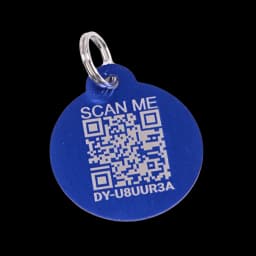
No. All people, codes, locations and actions are fictional. The original blue tag is a product reference. Reset restores the prepared example.
This guided example explains the main steps using fictional records. Check your account for available tools. The sample recovery cards illustrate the layout; they are not downloadable recovery posters.
See and manage every Driyu tag on your account, and the pet each one is linked to.