
Three familiar formats.
Recovery Cards offers Square Post, Story, and a letter-size Flyer as PNG downloads.

A square post, a story, a printable flyer. Bring a lost pet’s details into the formats people can share, with a recovery link for the next step.
Explore Milo’s exampleFictional data. A walkthrough based on the app.
A way back to their people.


Download images
A fictional recovery card. Open the sample link to explore. This example does not provide a scannable QR or a real lost-pet alert.
THE DETAILS THAT MATTER
Recovery Cards offers Square Post, Story, and a letter-size Flyer as PNG downloads.
The panel provides a share link for the active alert. A linked tag may supply the QR destination on generated cards.
Social controls open a sharing destination. Posting, attaching an image, and printing remain your choices.
We do not promise guaranteed recovery. We are not GPS; we do not track your pet location. We do not publish recovery-rate claims unless they can be independently verified. Driyu does not auto-post your flyers to social networks; you choose where and when to share.
A LITTLE PREPARATION
Understand what each step does. Keep their details current and their people close.
 MiloYour example in this walkthrough
The real Recovery Cards panel requires a lost pet and an active recovery link.
Check the photo, contact information, and last-seen details before downloading or sharing.
Downloaded images and printed flyers can remain in circulation after Flare is off.
CLARITY FOR THE EVERYDAY
The Recovery Cards panel offers Square Post (1080 × 1080), Story (1080 × 1920), and a US-letter Flyer (1275 × 1650), as PNG images. This example does not add an A4 export.
No. Driyu generates the assets. You choose where and when to share them.
You can prepare the pet profile first. The Recovery Cards panel needs the pet to be lost and an active recovery link; it is not an unconditional pre-arrival export. A linked tag may supply the card’s QR destination.
The app offers a US-letter flyer as a PNG. Check the image, contact details and print settings before distributing it. This condensed HTML example is not an exported or print-ready file.
Do not assume they do. Public page controls and generated images are different surfaces. Review the contact details in each card before sharing. This sample uses fictional details and does not download or publish anything.
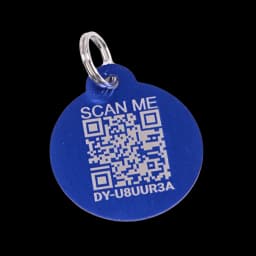
No. All people, codes, locations and actions are fictional. The original blue tag is a product reference. Reset restores the prepared example.
This guided example explains the main steps using fictional records. Check your account for available tools. The sample recovery cards illustrate the layout; they are not downloadable recovery posters.
Connect trusted people to your pets, choose a primary contact, and manage their alert preferences.