Start with recognition.
A scan opens the pet’s public identity: photo, name, and identifying details.

Let someone recognize your pet and find a way to help. Keep the public contact details deliberate, with a profile you can update as life changes.
Explore Milo’s exampleFictional data. A walkthrough based on the app.
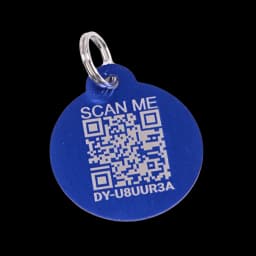
A way back to their people.

See the profile from the other side.
ACCOUNT SETTINGS EXAMPLE
Choose which contact details appear on public recovery pages.
Ordinary scan: no missing-pet banner or report form. Saved choices apply to this example.
THE DETAILS THAT MATTER
A scan opens the pet’s public identity: photo, name, and identifying details.
Your account’s visibility settings control phone, email, city, state, and emergency contacts.
The public scan is not your full owner dashboard. Private documents and the full medical history are separate.
The public profile can be opened by scanning the tag or following its link. The saved street-address field is not shown, but notes and photos can reveal details you include. The full medical record is separate; an owner-controlled medical alert may appear publicly.
Driyu does not guarantee recovery, track pets by GPS, claim a nationwide alert network or a 24/7 recovery team, or publish recovery rates without independent verification.
A LITTLE PREPARATION
Understand what each step does. Keep their details current and their people close.
 MiloYour example in this walkthrough
Link your physical tag to the right pet profile in your account.
Keep at least one reachable contact available for someone who finds your pet.
Preview the ordinary scan and review what a finder can actually see.
CLARITY FOR THE EVERYDAY
Five visibility choices control phone, email, city, state and emergency contacts on the public recovery page. The page can be reached by scanning the tag or opening its link; it is not restricted to physical scans. Review your notes and photos for personal details.
The saved street-address field is not part of the public recovery profile. City and state follow your visibility choices. Notes and photos can still reveal an address or other personal information you include.
No. The QR tag is not a GPS tracker and does not continuously report your pet’s location. Scanning the code or opening the recovery link loads the public page.
Yes. Update the toggles from your dashboard whenever you want. The public profile reflects your latest choices.
No. An ordinary active-tag scan opens a public pet profile with the contact details allowed by your settings. Lost Mode adds the missing-pet banner and report form. Your full medical records are not that public profile.
No. All people, codes, locations and actions are fictional. The original blue tag is a product reference. Reset restores the prepared example.
This guided example explains the main steps using fictional records. Check your account for available tools. The sample recovery cards illustrate the layout; they are not downloadable recovery posters.
See recorded scan counts for each tag. A scan is a clue, not live GPS tracking.