DEMO-MILOActive
Milo · Aug 20
12 scans
See what is linked, which pet it belongs to, and how often it has been scanned. Keep your Driyu tags organized from one familiar screen.
Explore Milo’s exampleFictional data. A walkthrough based on the app.
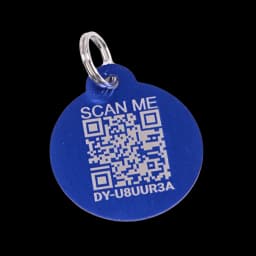
A way back to their people.


SMART TAGS
Milo · Aug 20
12 scansMilo · Jul 12
2 scansFictional codes and counts. A Lost tag changes the public scan display, but does not create a pet Flare alert.
Ordinary public profile.
The inventory is your private view inside app.driyu.com. It is not shown to a finder. A scan opens only the recovery profile for that one tag, with the fields you chose to share.
A LITTLE PREPARATION
Understand what each step does. Keep their details current and their people close.
 MiloYour example in this walkthrough
Each card has a code, status, pet, activation date, and scan count.
A Lost tag shows missing-pet treatment on scan. A Disabled tag redirects to another active tag for the same pet if available.
Tag status is separate from the pet’s Lost Mode. Use the pet profile to activate Flare.
Get support with a replacement, then link your new tag to the same pet profile.