DEMO-MILOActive
Milo · Aug 20
12 scans
A tiny tag opens a way to reach you. See recorded scan counts in your tag inventory, and understand how a scan differs from a finder’s report.
Explore Milo’s exampleFictional data. A walkthrough based on the app.
A way back to their people.


SMART TAGS
Milo · Aug 20
12 scansMilo · Jul 12
2 scansAdd a fictional scan to Milo’s count.
Fictional codes and counts. A Lost tag changes the public scan display, but does not create a pet Flare alert.
Ordinary public profile.
LET SOPHIA WALK YOU THROUGH
Get to know the connection between a scan and a public profile.
Browse all 12 video guidesWhat Sophia says in this video, with timestamps. Read without playing it. Also check the accompanying note and guide for the current process.
Hi, I'm Sophia, Driyu's AI Guide avatar.
Let's talk about what happens when someone scans your Driyu tag.
Every Driyu tag opens a secure pet profile, no app needed for the person who
finds your pet. When they scan the QR code, they can instantly see the pet
information and contact details you chose to share,
like your phone number or email, so they can call or message you right away.
Inside your Driyu dashboard, each tag also keeps a private scan count,
so you can see that your tag is active and being used.
But the most important part happens when your pet is marked as lost.
If someone scans the tag while your pet is in lost mode,
they'll see a clear I found this pet button.
From there, they can send you a message, add their contact information,
and, if they choose to share it, include their location.
When they submit that report, Driyu sends you an email right away.
And if you've turned on text alerts, you may also receive a text notification.
Inside your pet's dashboard, you can review the found report,
see the finder's message, and view the shared location on a map when a
location was provided. That means you are not just waiting for someone to
call. You have one place to see what happened, where your pet was reported,
and any notes the finder shared with you.
and your privacy stays protected.
Driyu does not show your home address, private account details,
or full medical records.
You stay in control of what information is visible on your pet's public
profile. With Driyu, your tag is more than a QR code.
It helps someone reach you faster and gives you the details you need when your
pet needs help most. And remember, there is a lot more to discover with Driyu.
If you need help, you can visit the Help Center,
use the search icon at the top of the website to quickly find answers,
or contact support anytime.
Keep exploring the website to learn more about your tag,
your pet profile, lost mode, privacy settings, and all the tools
Driyu is building to help keep pets safer, easier to identify,
and easier to bring home.
THE DETAILS THAT MATTER
The Tags screen brings total scans and each tag’s scan count into one place.
Location context may be approximate or unavailable. A tag scan is not continuous GPS tracking.
In Lost Mode, a finder can submit a location, optional contact details, and a message through the public profile.
Scan counts, finder reports and notification delivery are different things. A finder can choose to share device location in a report; other scan context may be approximate or unavailable. Driyu is not GPS and does not guarantee an instant alert or recovery.
A LITTLE PREPARATION
Understand what each step does. Keep their details current and their people close.
 MiloYour example in this walkthrough
Review Total, Active, and Scans at the top of the inventory.
Search by tag ID or pet and read the count on its card.
A scan alone does not confirm your pet was found. A finder’s message can help you arrange the next step.
CLARITY FOR THE EVERYDAY
A finder chooses whether to share their device location in a report. Scan context can be approximate or unavailable; a scan count does not establish the pet’s position. There is no continuous GPS tracking.
The inventory records scan counts separately from finder reports. A finder can still use the public contact paths you allow. This example does not promise an instant notification for every scan.
No. Driyu is not GPS and does not track your pet between scans. A scan opens the public profile; by itself, it does not send an alert. When a pet or tag is marked lost, a finder can submit a separate report.
The Tags screen shows total scans and counts per tag. Finder reports appear in the recovery workflow. The count display is not a live map or confirmation that someone has found your pet.
This walkthrough does not promise instant delivery. The app records scans separately from finder reports and Flare notifications. The Tags screen shown here displays counts, not a live location feed.
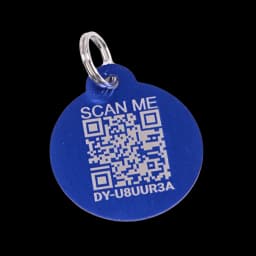
No. All people, codes, locations and actions are fictional. The original blue tag is a product reference. Reset restores the prepared example.
This guided example explains the main steps using fictional records. Check your account for available tools. The sample recovery cards illustrate the layout; they are not downloadable recovery posters.
Mark your pet lost and bring recovery actions to the top of their public profile.