One familiar place.
Start with Lost Mode on the pet profile. Last known location is optional in the activation dialog.

Activate Driyu Flare from your pet’s profile. Give finders a recovery page, keep reports together, and turn Flare off when your pet is safe.
Explore Milo’s exampleFictional data. A walkthrough based on the app.
A way back to their people.



SAFE AT HOME
STANDBY · READY
If Milo goes missing, activate Flare to show the missing-pet banner and recovery actions on the public profile.
Condensed walkthrough with verified email and a linked tag. No alerts are sent and no real pet is changed.
THE DETAILS THAT MATTER
Start with Lost Mode on the pet profile. Last known location is optional in the activation dialog.
The missing-pet banner and report form appear while Lost Mode is active. Contact details follow your sharing choices.
Receiving a report does not mark the pet safe. Deactivate Flare after confirming your pet has been found.
We do not promise guaranteed recovery. We are not GPS; we do not track your pet location. We do not claim a nationwide alert network; we have a recovery profile that works. We do not claim a 24/7 recovery team; if we ever staff one, we will tell you exactly who they are.
A LITTLE PREPARATION
Understand what each step does. Keep their details current and their people close.
MiloYour example in this walkthroughAn owner or active guardian can start the flow. The app checks email verification.
Check finder reports and the locations people choose to share. Contact the finder to confirm.
Choose Deactivate Flare and confirm. An ordinary tag scan still follows your public visibility settings.
CLARITY FOR THE EVERYDAY
From your owner dashboard. You choose when to switch it on and when to turn it off.
Yes. Build the profile today. When your tag arrives, lost mode is ready to use.
No. Use the lost-pet checklist to plan search and outreach; do not rely on a nationwide broadcast.
Yes. You control the switch. Turn it on when you need it, turn it off when your pet is home.
No. Last known location and finder-shared locations are individual reports. Using current location in the activation dialog captures the owner’s device location once; it is not the pet’s GPS position.
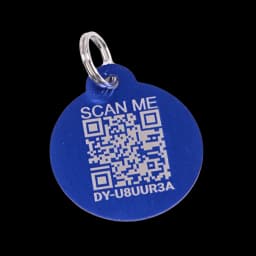
No. All people, codes, locations and actions are fictional. The original blue tag is a product reference. Reset restores the prepared example.
This guided example explains the main steps using fictional records. Check your account for available tools. The sample recovery cards illustrate the layout; they are not downloadable recovery posters.
Download recovery cards and printable flyers from an active Lost Mode alert.